Access tokens let external systems (for example a planning tool or an integration) submit data to Analytics securely, without a person signing in. This page explains the Admin → Access tokens area. It is written for administrators.
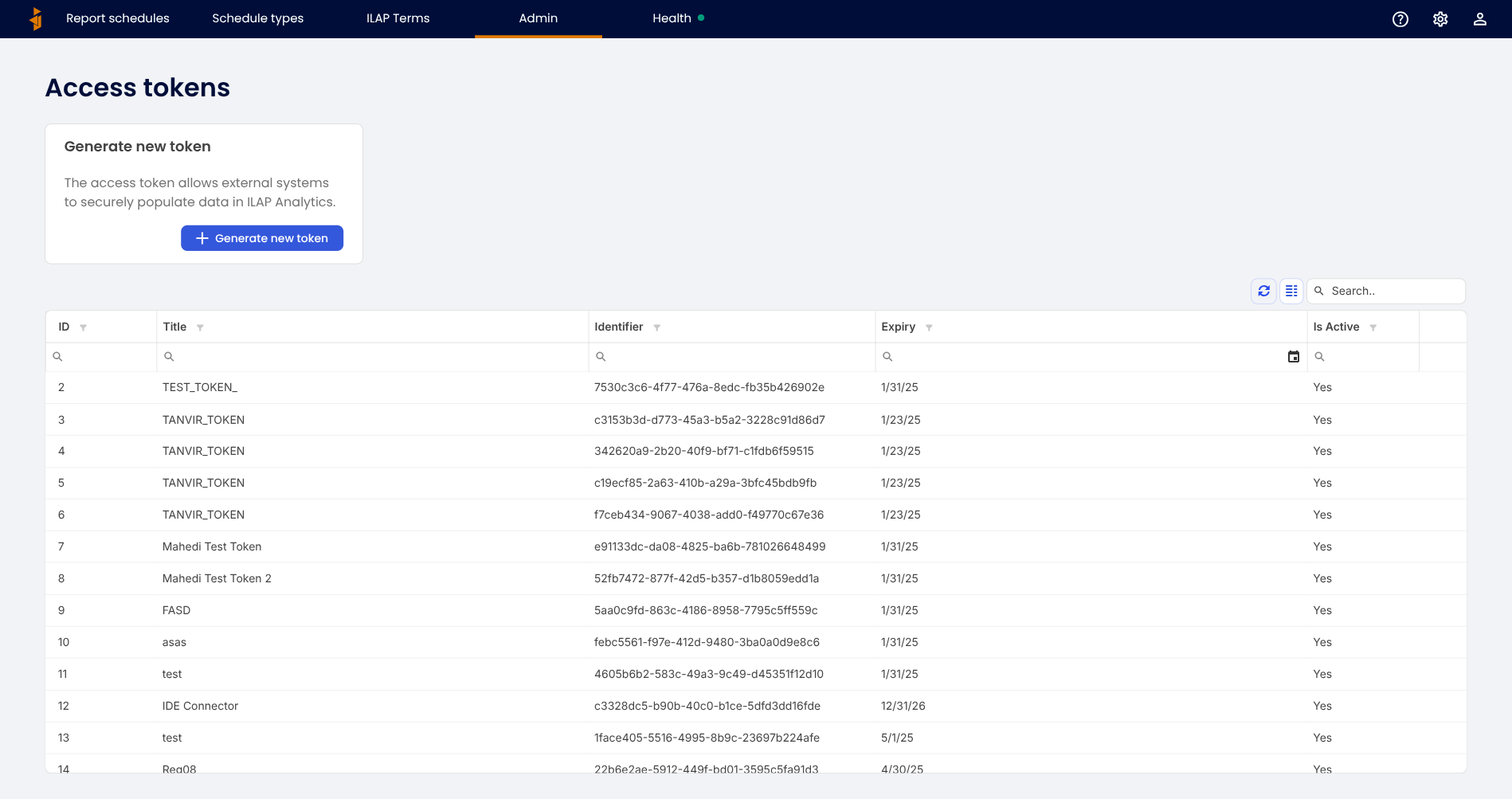
The token list
Each row is a token, showing its title, identifier, expiry date, and whether it is active. Expired or deactivated tokens stop working, so external systems using them must be updated.
Generating a token
Click Generate new token, give it a clear title and an expiration date, then Generate.
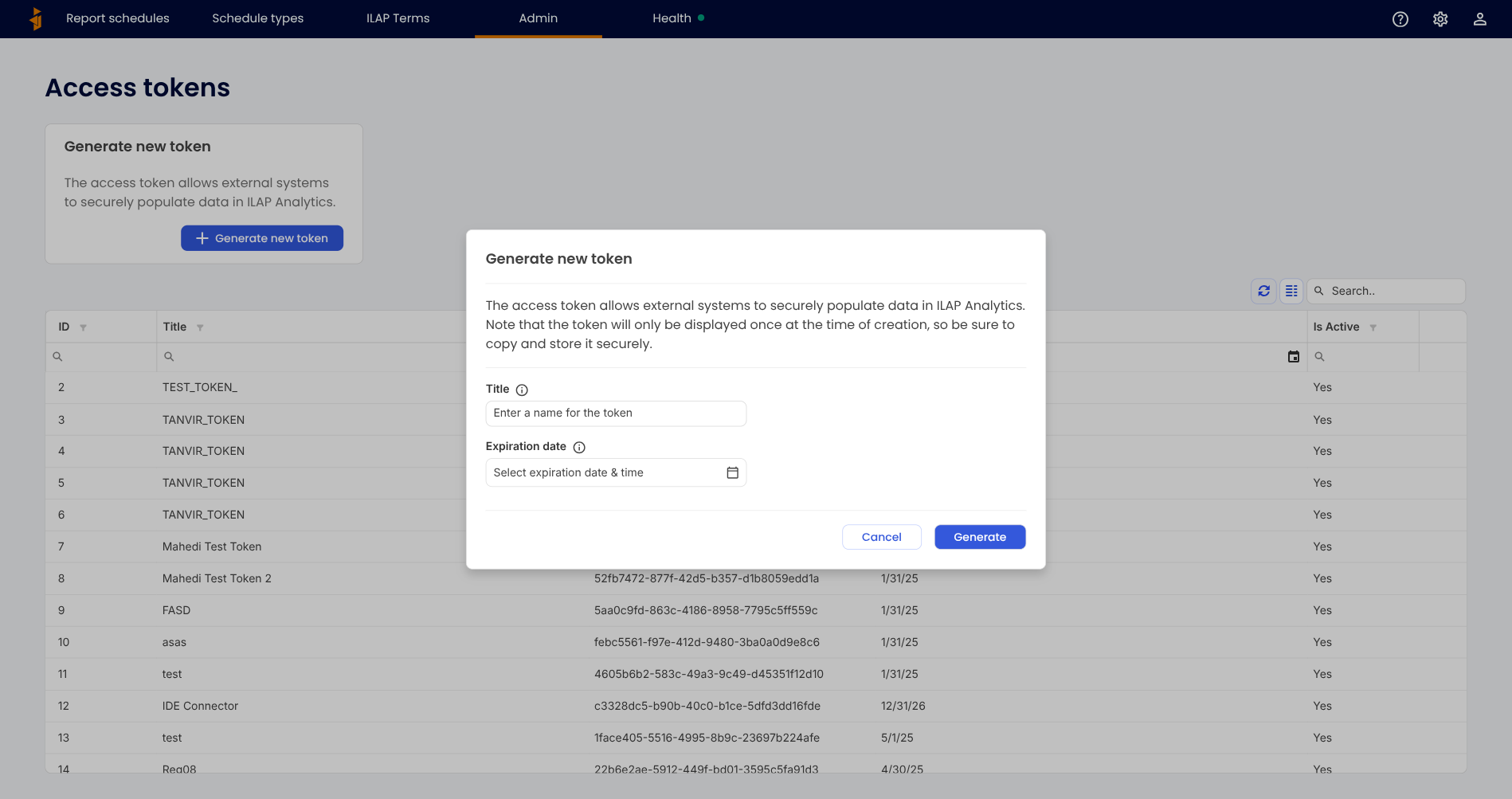
Copy the token immediately. For security, the token value is shown only once, at the moment it is created. Store it somewhere safe (such as a secrets vault). If it is lost, generate a new one and update the external system.
Good practice
- Use a separate token per integration, with a descriptive title, so you can revoke one without affecting the others.
- Set a sensible expiry and renew before it lapses.
- Deactivate tokens that are no longer needed.
Was this article helpful?
That’s Great!
Thank you for your feedback
Sorry! We couldn't be helpful
Thank you for your feedback
Feedback sent
We appreciate your effort and will try to fix the article