Analytics keeps every version of a schedule so you can track how it changes over time. Each version is a revision. This page explains revisions and the four revision types. It is written for planners who submit and compare schedules.
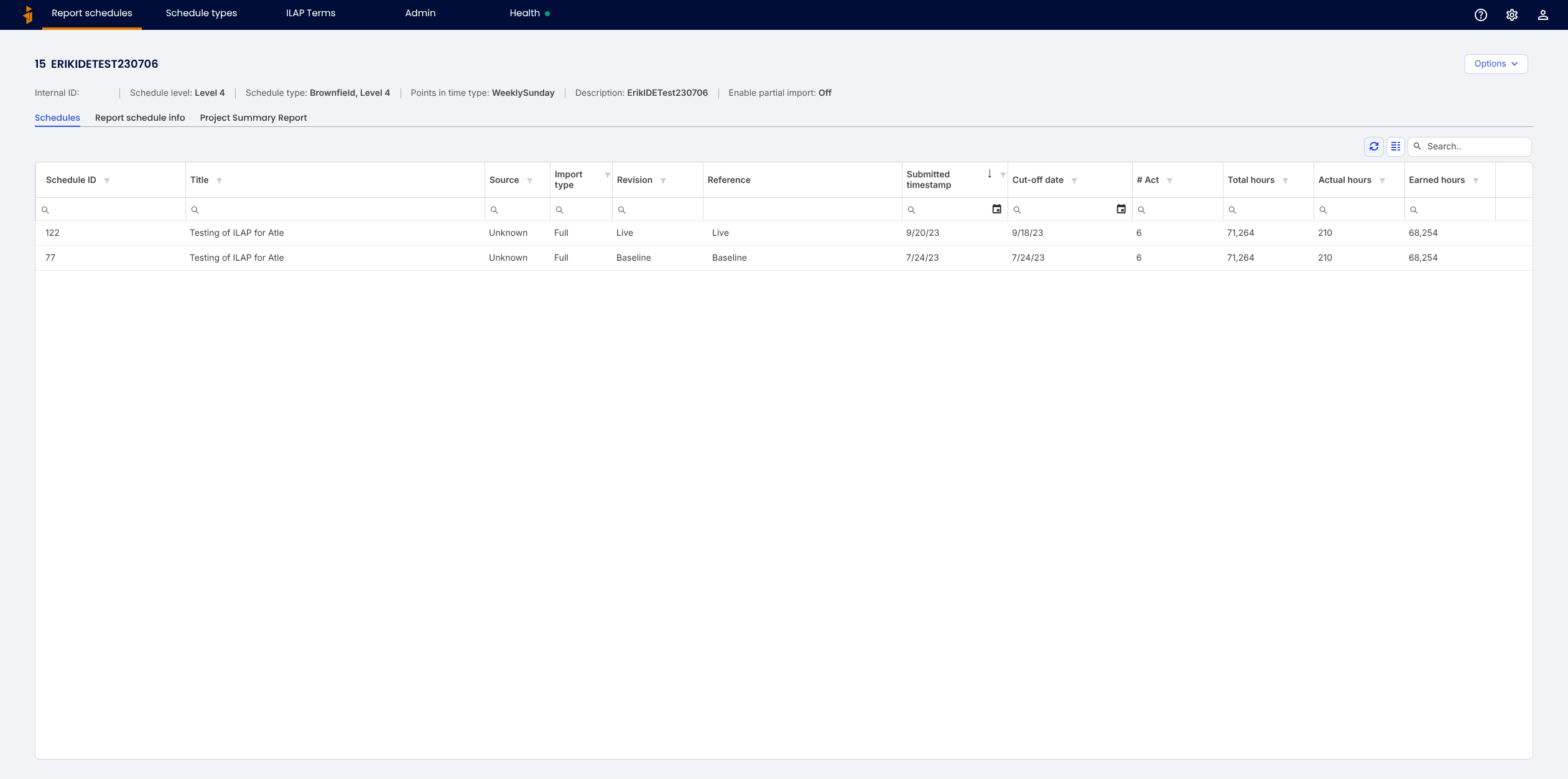
What a revision is
A revision is one submitted version of a schedule, stored under a report schedule. The Schedules tab lists them, each with its source, submitted timestamp, cut-off date, activity count, and hours. Because nothing is overwritten, you keep a complete, comparable history.
The four revision types
| Type | Meaning |
|---|---|
| Live | The current, working version of the schedule — updated most often. |
| Baseline | An approved plan the Live version is measured against. |
| Original Baseline | The first approved plan, kept unchanged for reference. |
| Current | A designated current-period version, used where a project distinguishes it from Live. |
The Reference column shows which revision acts as the reference for comparisons. On the report schedules list, the headline columns are split by type (for example Total hours Live and Total hours BL for Baseline).
Reverting to a previous revision
If a submission was wrong, a schedule can be reverted to the previous revision of the same type. When a previous revision exists and you have the Writer or Administrator role, a Revert to last button appears on that revision's row (in the Revision column) for an open schedule. You are asked to confirm before the change is applied. Reverting restores the previous revision of that type; it does not delete history.
The button only appears when there is an earlier revision of that type to go back to. If a report schedule has just one revision of a type, there is nothing to revert to, so no button is shown.
Was this article helpful?
That’s Great!
Thank you for your feedback
Sorry! We couldn't be helpful
Thank you for your feedback
Feedback sent
We appreciate your effort and will try to fix the article