Report schedules are a foundational feature of ILAP Analytics: they track, compare, and analyse the same schedule over time. This page explains what a report schedule is, the value it provides, and how one appears in the application. It is written for planners and schedulers who work with schedules day to day.
The Value of Report Schedules
Report schedules are essential for managing and analyzing the lifecycle of schedules in a dynamic and actionable way. They address the challenge posed by the ILAP Ontology, which is limited to single-point-in-time data, by allowing ILAP Analytics to track and periodize schedules over time. This brings immense value to stakeholders by providing detailed insights into schedule versions, periodic changes, and overall progress.
Core Functions and Benefits
Version Tracking:
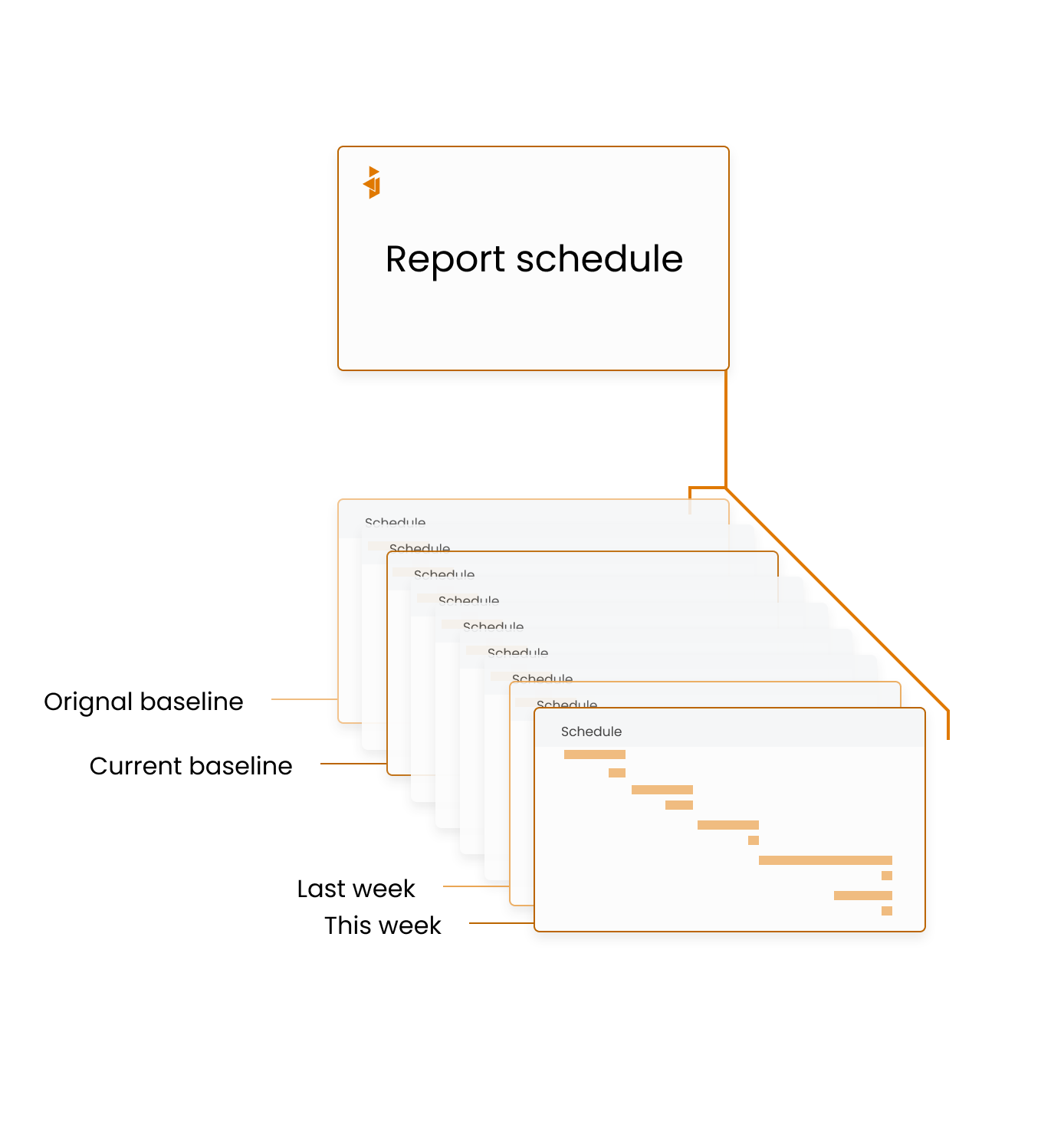
Report schedules consolidate different versions of the same schedule, such as the original baseline, revised schedules, and weekly updates of live schedules.
Users can monitor how schedules evolve over time and assess deviations from initial baselines.
Tracking Periodic Changes:
Log changes in the total scope of planned work, such as increases or decreases in planned hours.
Record earned hours and actual hours worked at regular intervals, enabling detailed performance analysis.
Comprehensive Periodization:
Break down planned work into time-phased segments, storing data periodically based on schedule parameters like start/finish dates, total hours, and resource calendars.
Track remaining planned work dynamically, ensuring accuracy in resource allocation and planning.
Data Sharing and Integration:
Provide detailed schedule data to external systems, including data lakes, APIs, and reporting tools.
Leverage Rest APIs and GraphQL endpoints for seamless and efficient data access.
A report schedule in the application
A report schedules consists of a set of schedules, but it also has report schedule information and gives you information about incoming schedules.
Schedules
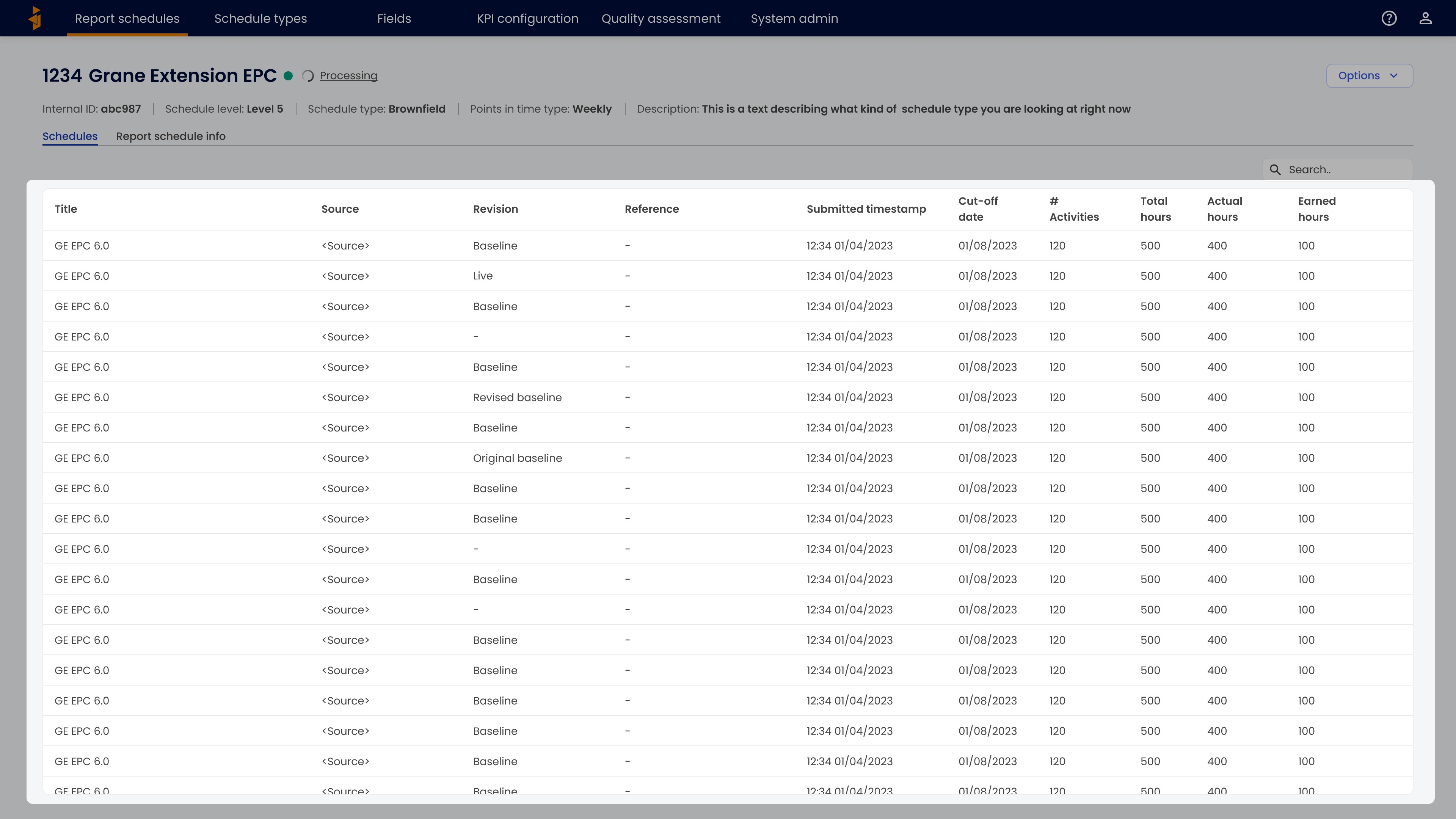
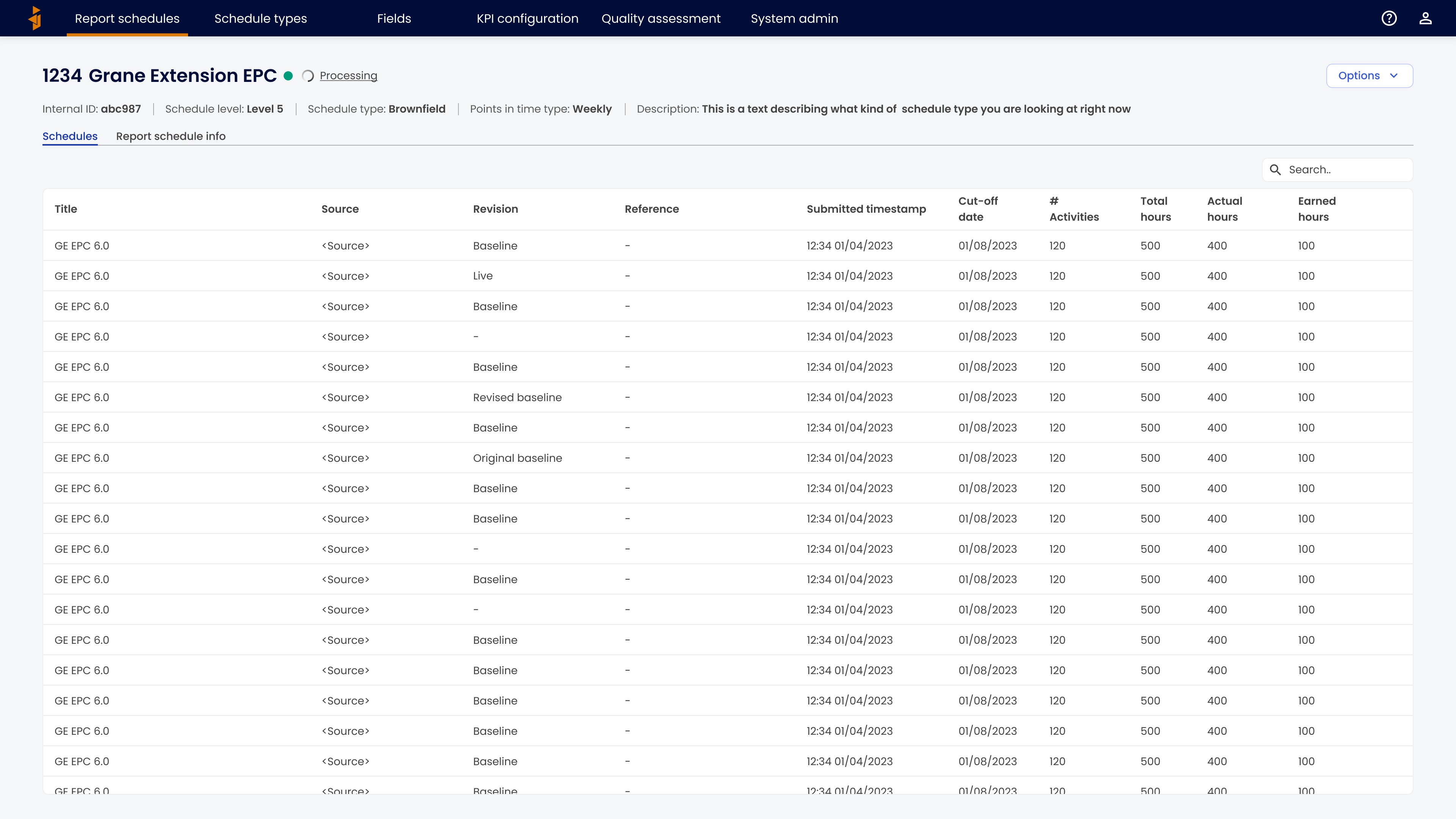
The schedules that have been successfully imported into the report schedule can be found in the table. This includes some general information about each of the schedules such as the title and the revision.
Key information and import status

On top, you can find the key information about the report schedule such as the ID and the title. Next to the title you can find a coloured dot that indicates the import status. If there is an import ongoing, this is indicated with the text “Processing”. Below the title more key information is shown and to the right-hand side the options menu can be found.
Report schedule information
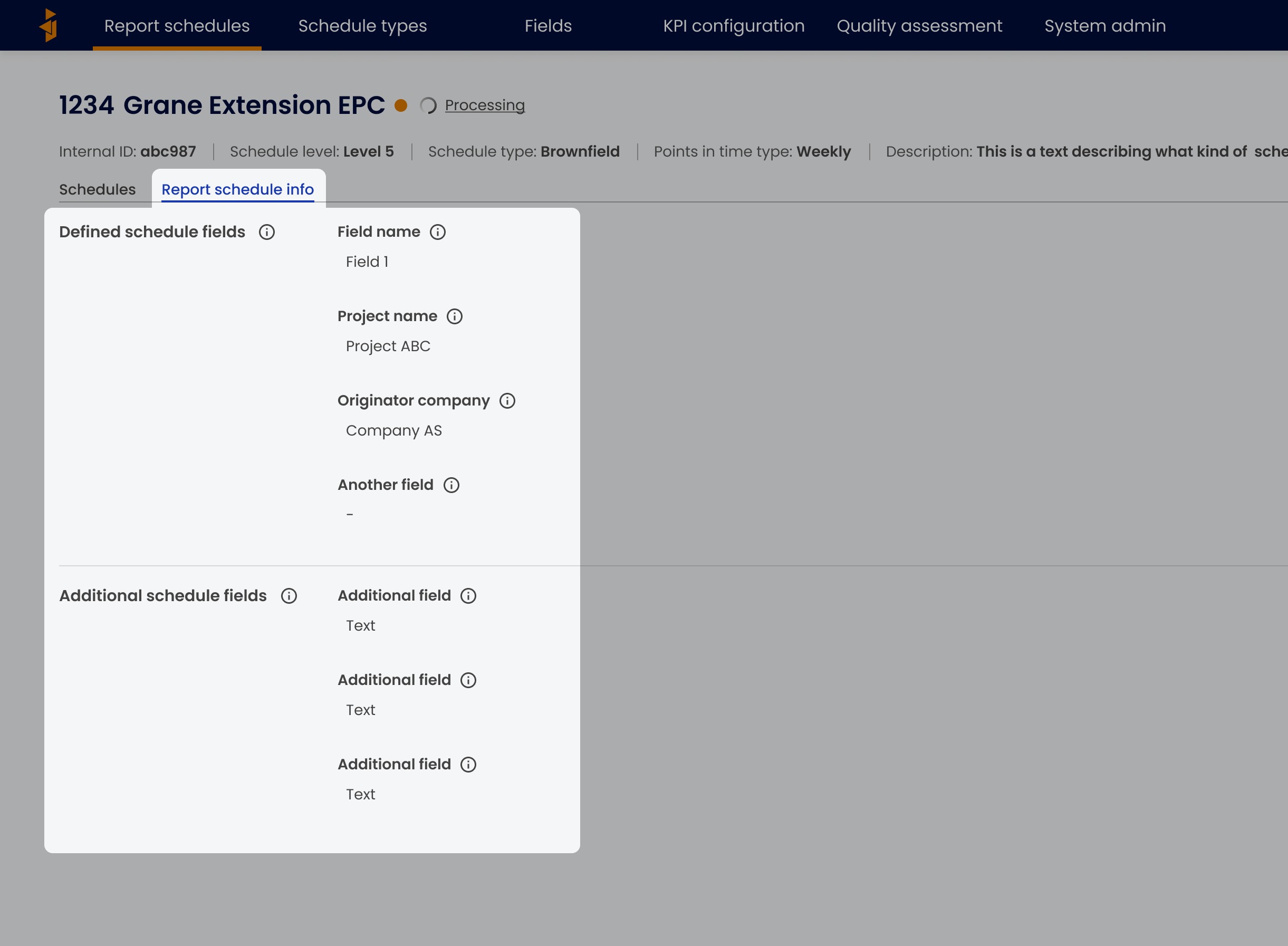
When switching to the “Report schedule info” tab, more information can be accessed. This is divided into information that comes from the schedule fields that are defined in the schedule type and other, additional schedule fields.
Was this article helpful?
That’s Great!
Thank you for your feedback
Sorry! We couldn't be helpful
Thank you for your feedback
Feedback sent
We appreciate your effort and will try to fix the article