As an administrator, when you want to stop the collection of schedules, you can close a Report Schedule. When a Report schedule is closed, it is stopped from receiving new schedules and is tagged as Closed. All previously gathered data is retained, and the schedule can be reopened if needed. To view all closed Report schedules, use the Closed filter button above the table in the Report schedules screen.
Want to read more about what a Report Schedule is? Read this article: Report Schedules
How to Close a Report Schedule
Click "Options"
On the Report Schedule page, click Options in the top right to open the dropdown menu.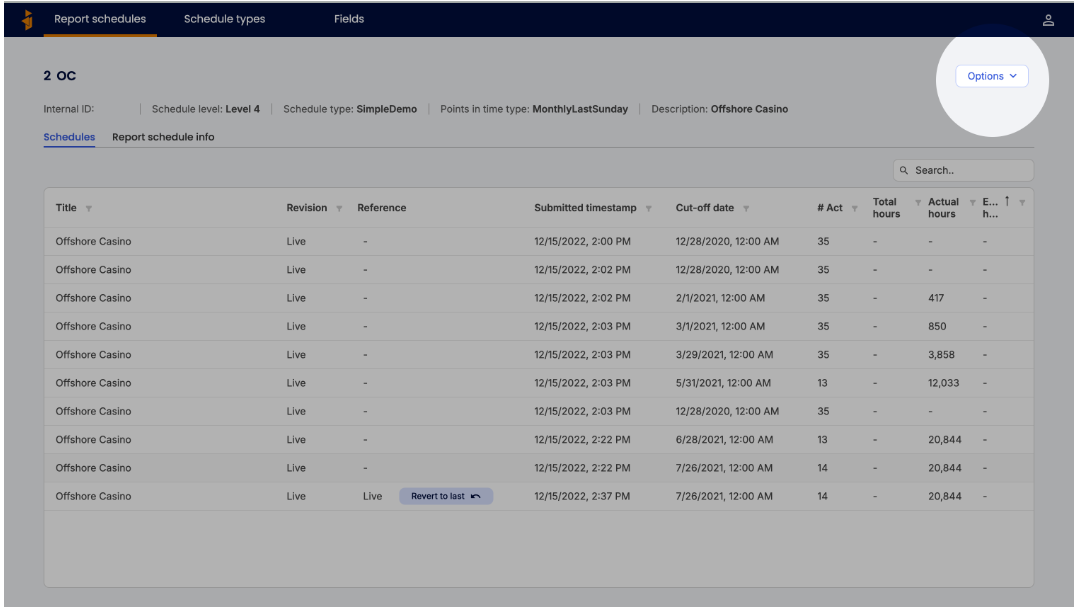
\
Select "Close Report Schedule"
In the dropdown menu, select Close Report Schedule.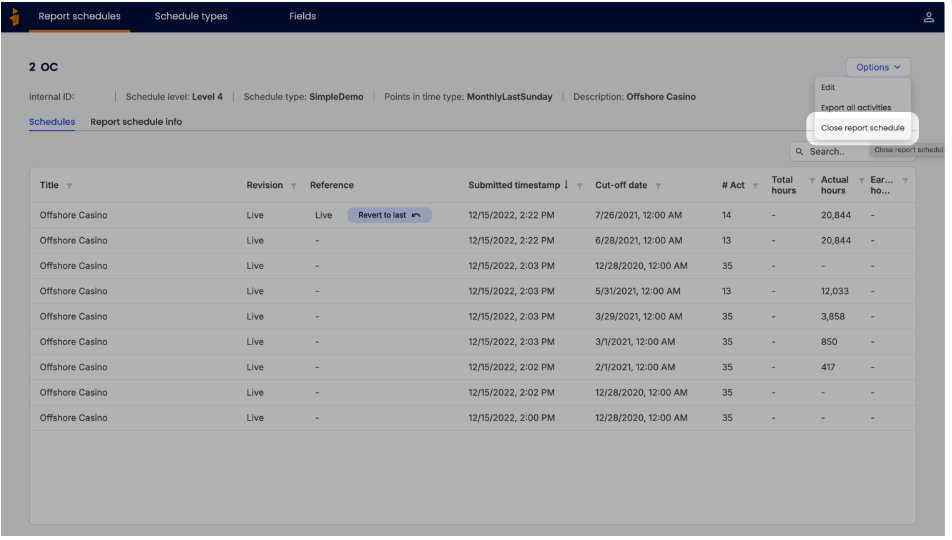
\Confirm Closing
In the confirmation modal, confirm that you want to close the report schedule. The schedule will now display a Closed tag and can be located by searching or filtering for closed report schedules.- To Reopen: If needed, you can reopen the schedule by clicking Options and selecting Reopen Report Schedule. Confirm in the modal to complete the process.
How to Reopen a closed Report Schedule
 \
\
Open a closed Report schedule
In the Report schedules screen, click on the “Closed” filter button above the table. Select the closed Report schedule that you want to reopen from the table.\Reopen Report schedule
Similar to closing the Report schedule, as shown above, click Options and select Reopen Report Schedule. Confirm in the modal to complete the process.
Deleting vs. Closing a Report Schedule
When deciding whether to remove a Report schedule, consider the following options:
Closed: Closing a Report schedule prevents new schedules from being added. The schedule is tagged as Closed but retains all data and can be reopened if necessary.
\Deleted: Deleting a Report schedule permanently removes all associated data, which cannot be recovered. Deletion is often used for test report schedules; for active report schedules, consider closing instead.
Was this article helpful?
That’s Great!
Thank you for your feedback
Sorry! We couldn't be helpful
Thank you for your feedback
Feedback sent
We appreciate your effort and will try to fix the article