Time-phasing periodizes planned and actual work across calendar periods and is provided by an external Promineo service that ILAP Analytics calls during processing. This page explains how to obtain a time-phasing token, register it in your Bicep parameters, and verify that periodization is working after deployment. It is written for the IT administrator setting up or troubleshooting an ILAP Analytics installation.
How to get timephasing token
Go to https://timephasing.promineo.com/ and create an account (if not already created) Create a token by going to the url https://timephasing.promineo.com/tokens
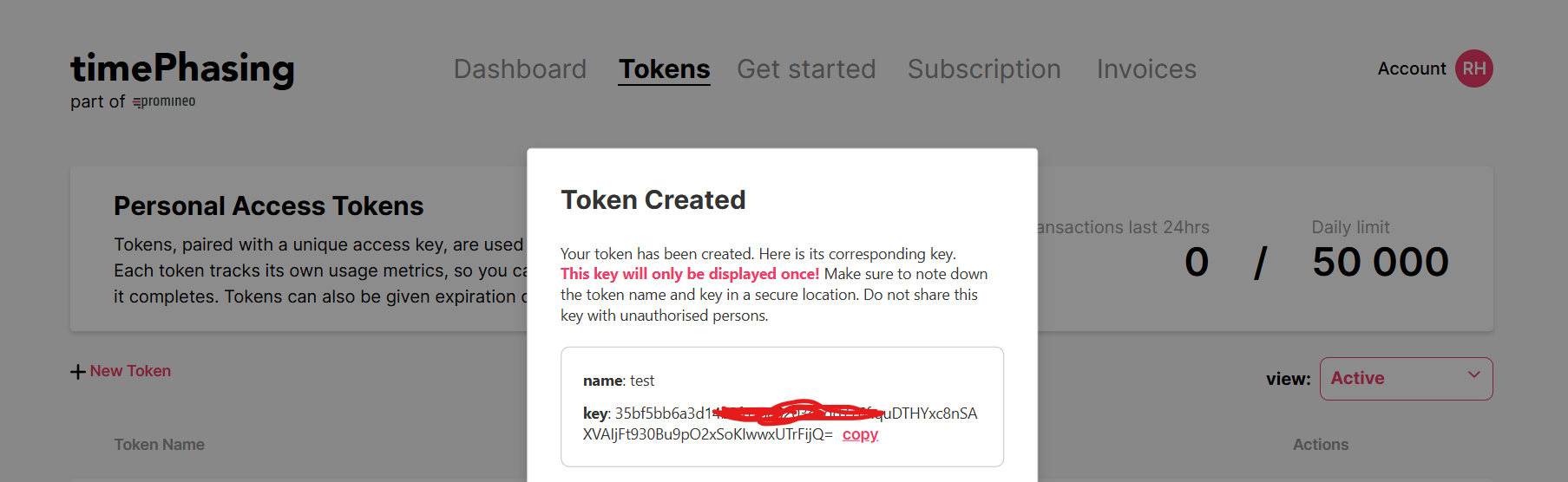
put them in the bicep parameter files.

Deploy the bicep file.
How to verify that timephasing is working
Get the url of the api (which will be something like https://app-ilapanalytics-api-dev.azurewebsites.net/ or https://api.yourcustomdomain.com/)
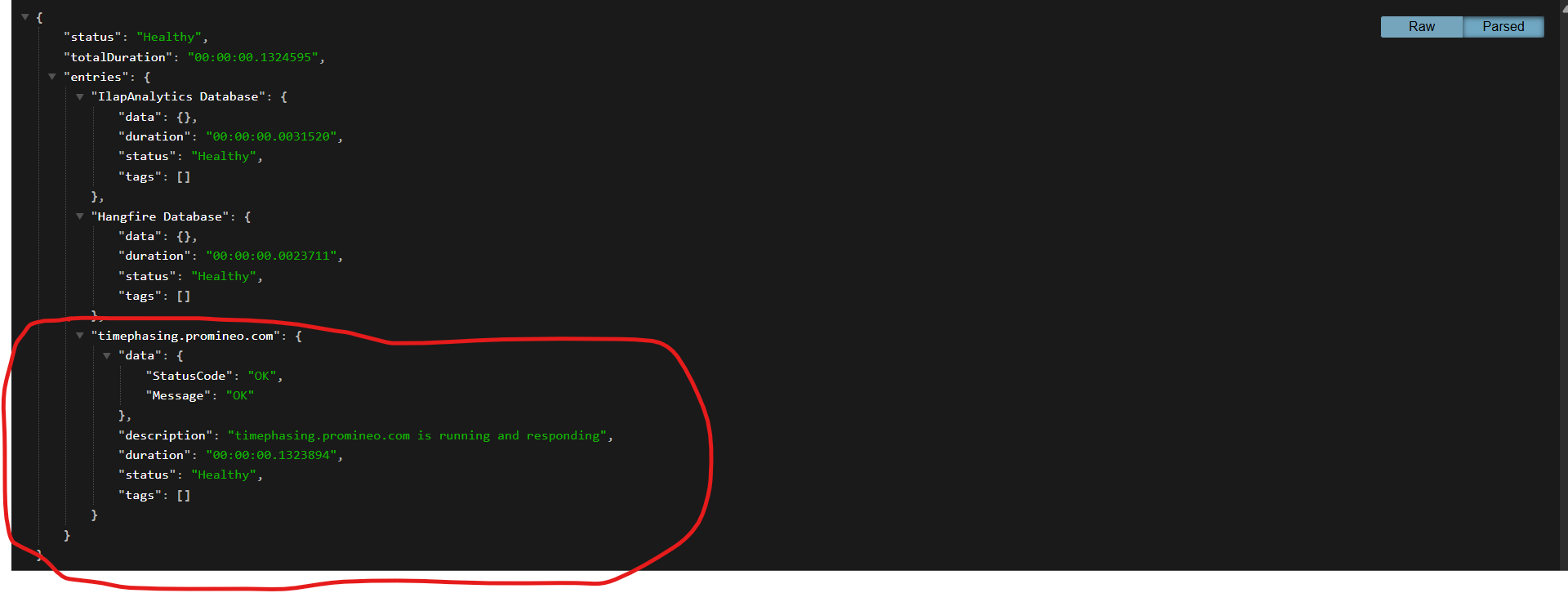
Add the url '/health' with it. the url will be something like https://app-ilapanalytics-api-dev.azurewebsites.net/health or https://api.yourcustomdomain.com/health.
Check the status of the timephasing service
What if timephasing is not properly configured
- The periodization of acitvities will not occur.
- There will be no record on the Reporting_ActivityPeriodized table after importing schedules.
Was this article helpful?
That’s Great!
Thank you for your feedback
Sorry! We couldn't be helpful
Thank you for your feedback
Feedback sent
We appreciate your effort and will try to fix the article