Schedule types define the type of schedules that you collect in the report schedules. A schedule type consists of a set of schedule and activity fields. They can be used for a report schedule once it is finished. This article shows administrators how to create a schedule type. Want to read more about what a schedule type is? Read this article Schedule Types
How to Create a Schedule Type
Click "New"
On the Schedule Types page, click New in the top right to begin creating a new schedule type.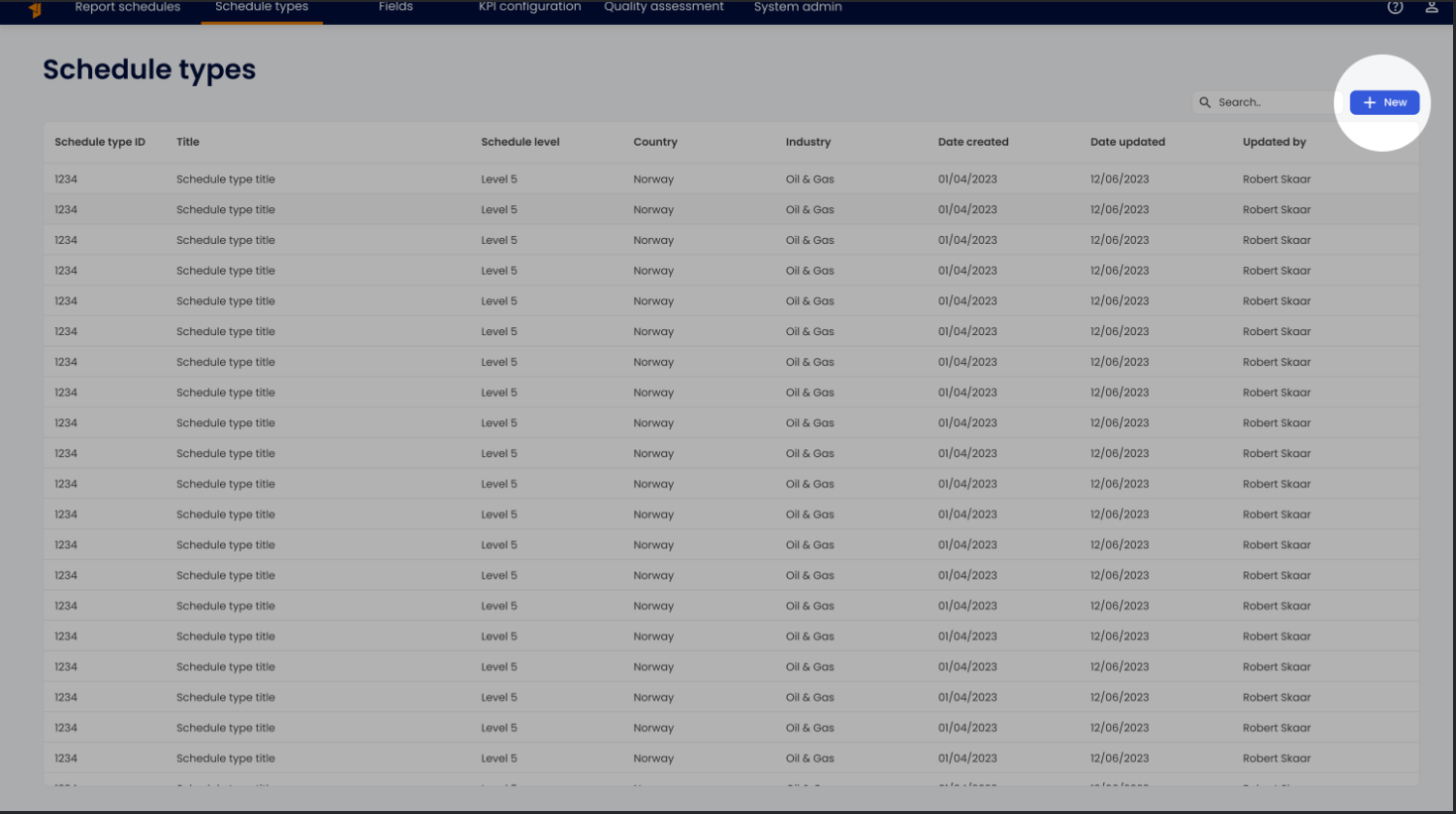
\Enter General Information
In the first step of the creation wizard, enter a title, schedule level, timephasing scope(s), and an optional description. The title helps with locating and categorizing the schedule type later. The schedule level sets the level of detail (hierarchy) the schedule represents — for example Level 1 for a high-level summary through Level 4 for detailed activities. Once completed, click Next step.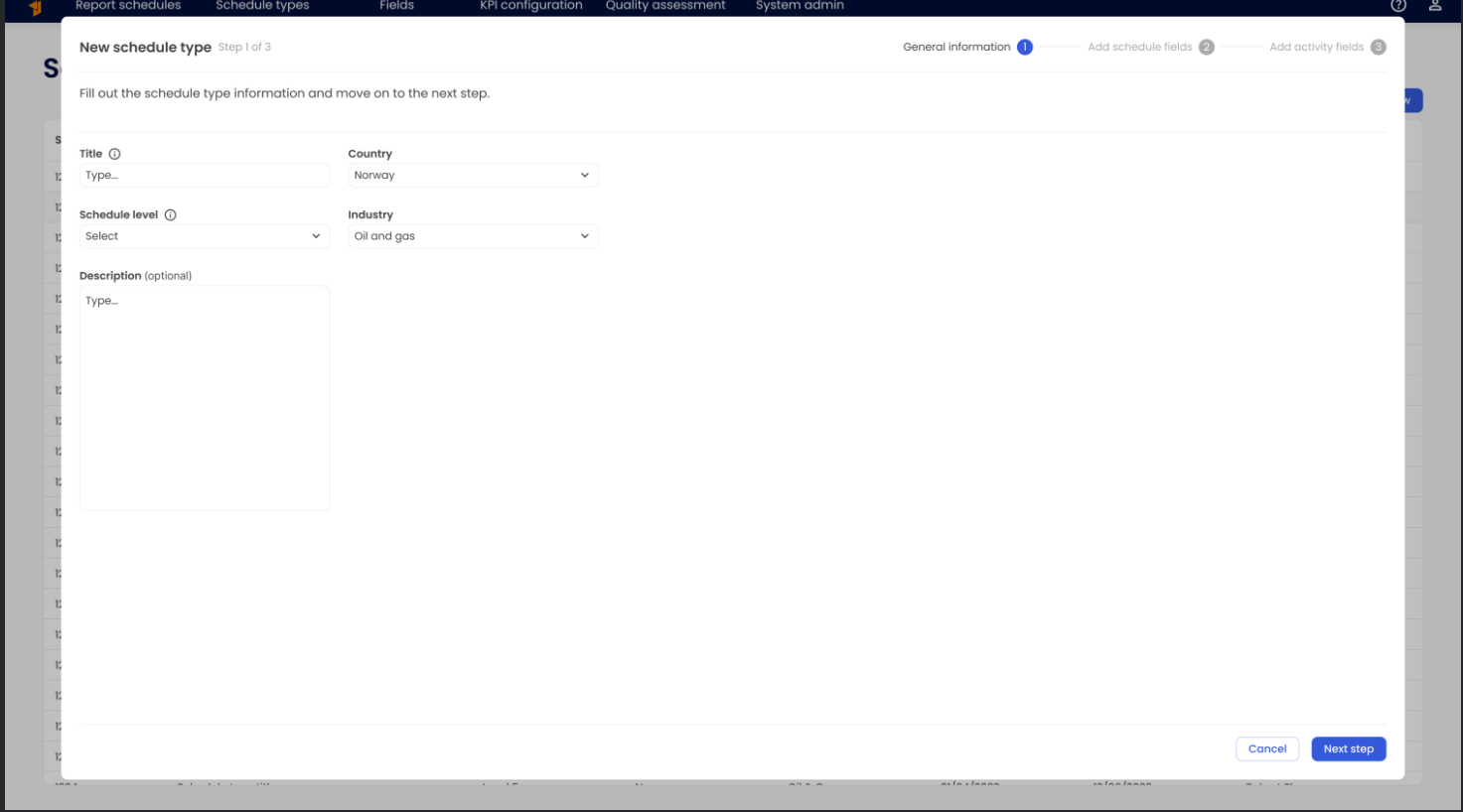
\Select Schedule Fields
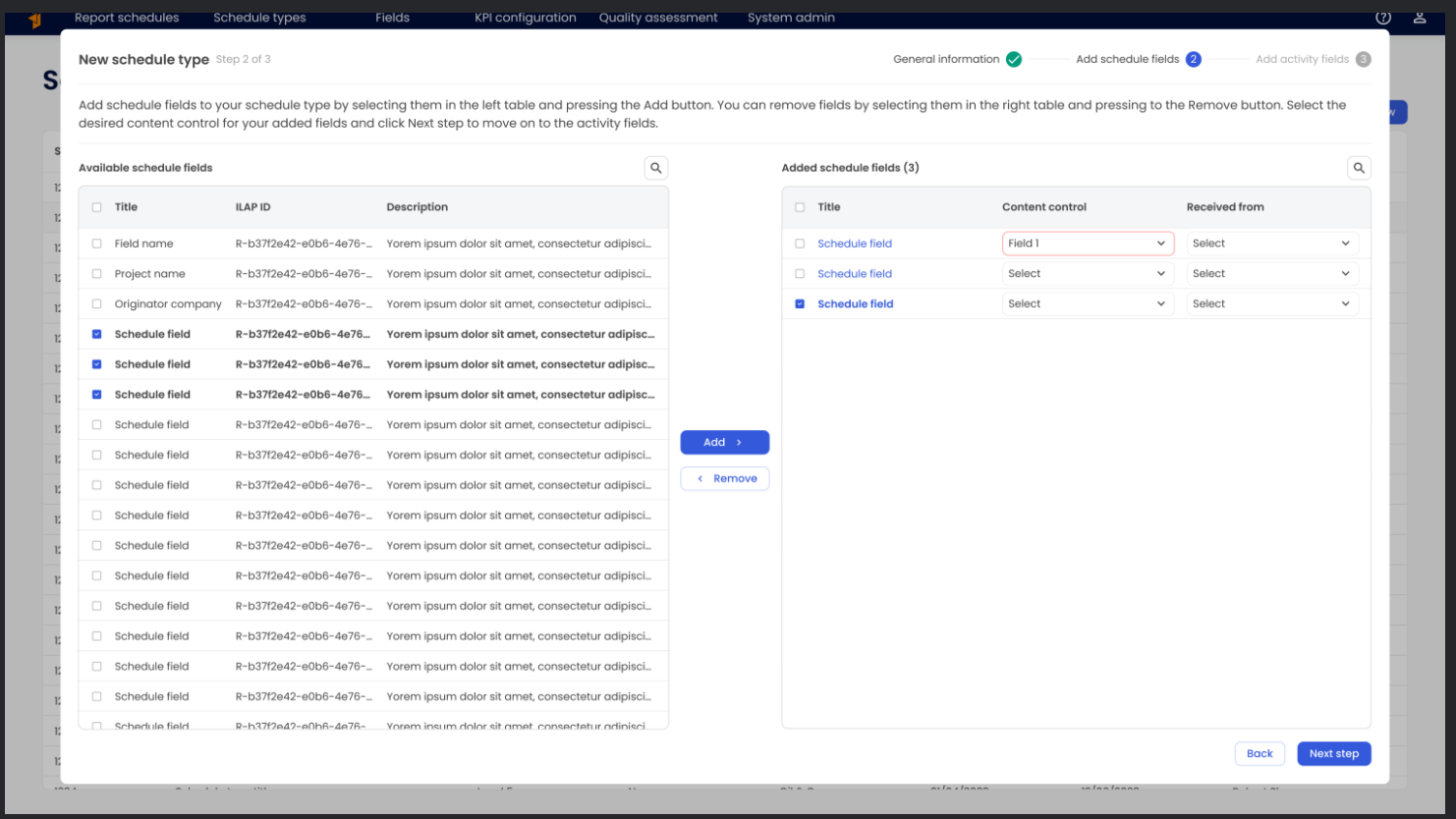
Schedule fields are for meta information specific to the schedules of this schedule type. Available schedule fields are listed in the left table.
\To add schedule fields to your schedule type, select them in the left table and click Add.\
To remove fields, select them in the right table and click Remove.\
Choose the content control you want for each added field, then click Next step to proceed to activity fields.
\
Select Activity Fields and Create
Activity fields are fields that apply to all the activities in the schedules of this schedule type.
\Add activity fields by selecting them in the left table and clicking Add.\
Remove fields by selecting them in the right table and clicking Remove.\
Set the desired content control for each field, then click Create to finalize the schedule type.
The new schedule type will now be available under **Schedule Types **and can be selected when creating a new Report schedule.\
 \
\
Was this article helpful?
That’s Great!
Thank you for your feedback
Sorry! We couldn't be helpful
Thank you for your feedback
Feedback sent
We appreciate your effort and will try to fix the article