After you have created a Report Schedule, you might want to make changes to it. This article shows administrators how to enter edit mode and make changes, ensuring that your report schedules remain accurate and relevant to your needs.
After a report schedule is created, some components remain editable, including:
Title
Internal ID
Description
Any schedule fields that were defined when the report schedule was created.
Want to read more about what a Report Schedule is? Read this article: Report Schedules
How to edit a report schedule
Click "Options"
On the Report Schedule page, click Options in the top right to open the dropdown menu.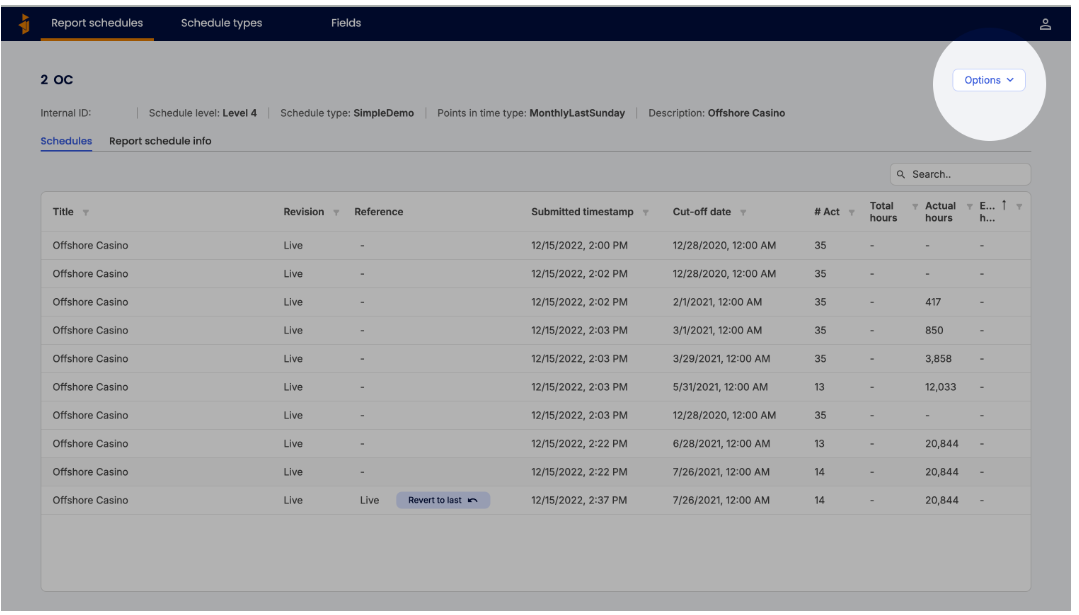
\Select "Edit"
In the dropdown menu, select Edit. The report schedule fields will enter edit mode.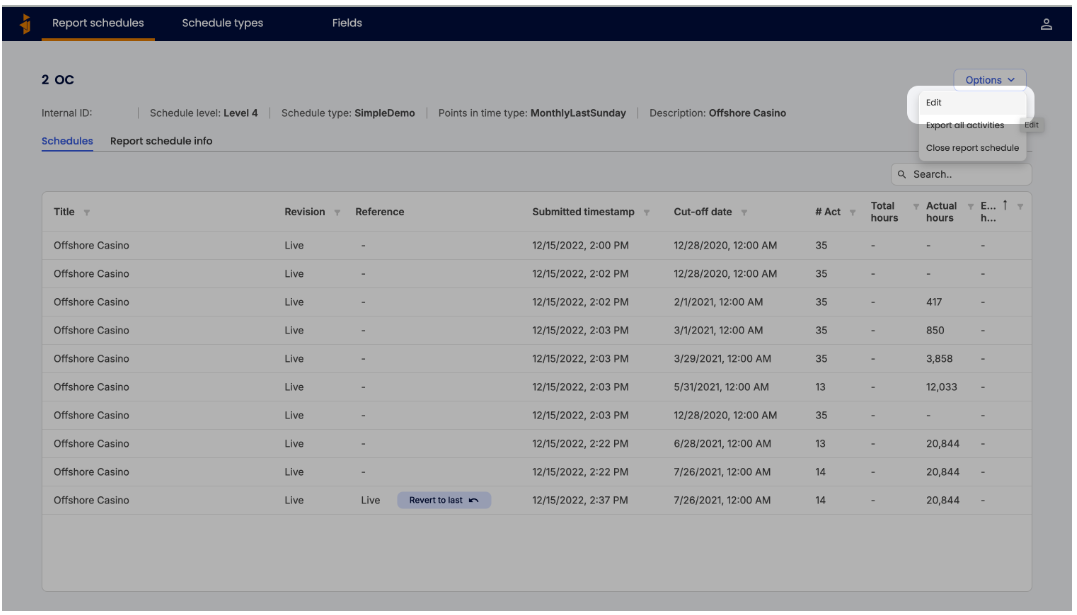
\Edit the Fields
Update any editable fields with the desired information. Note that fields populated from the data (not manually entered) cannot be edited, and all required fields must remain filled. \
\Save Changes
Click **Save Changes **in the bottom right. If any required fields are empty, you will not be able to save. Make sure all required fields are completed before saving.
Was this article helpful?
That’s Great!
Thank you for your feedback
Sorry! We couldn't be helpful
Thank you for your feedback
Feedback sent
We appreciate your effort and will try to fix the article