Deleting fields is irreversible and not recommended. All data will be lost. But in some rare case, it is desired to delete fields. This article shows administrators how to do this. Want to read more about fields first? Read this article: Fields.
How to delete Fields
Open the Desired Field
On the Fields page, choose between the Schedule Fields or Activity Fields tab. Scroll to find the field you want to edit, and click to open it. Use the sorting feature in the table columns to help locate the field. Click the column title to sort by that column.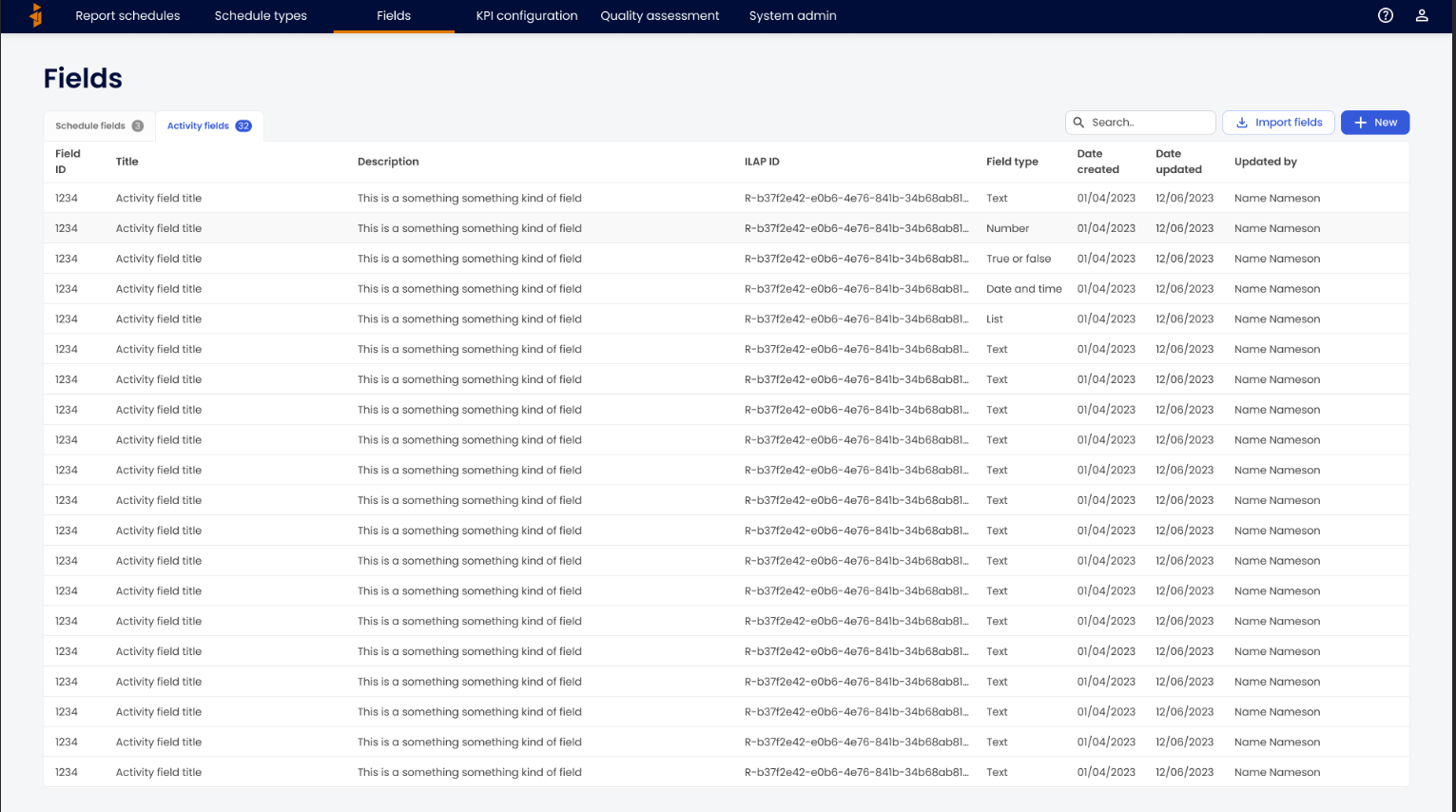
\Click "Options"
In the top right corner, click the Options button to open the dropdown menu.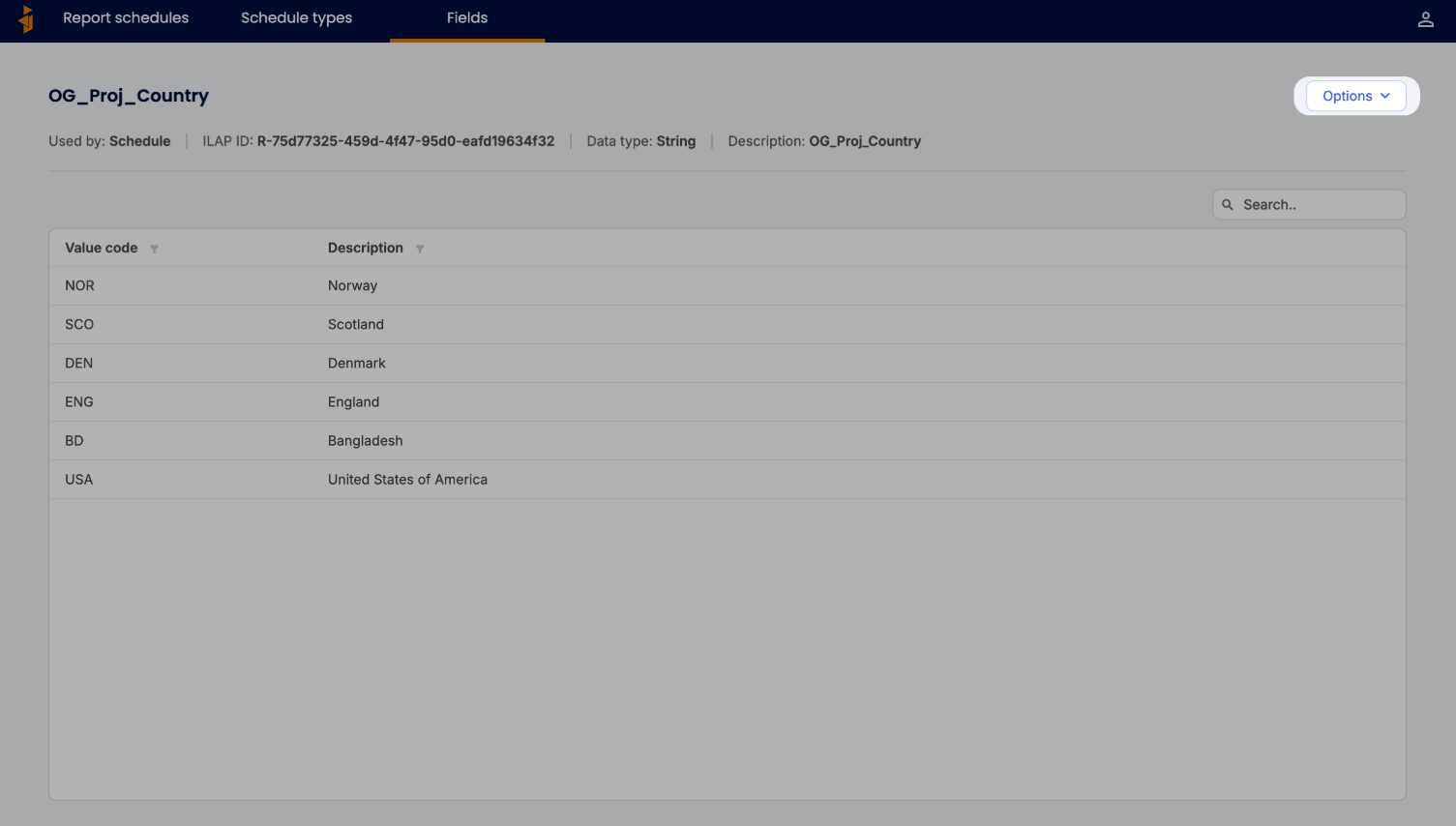
\Click "Edit"
Select Edit from the dropdown to enter edit mode.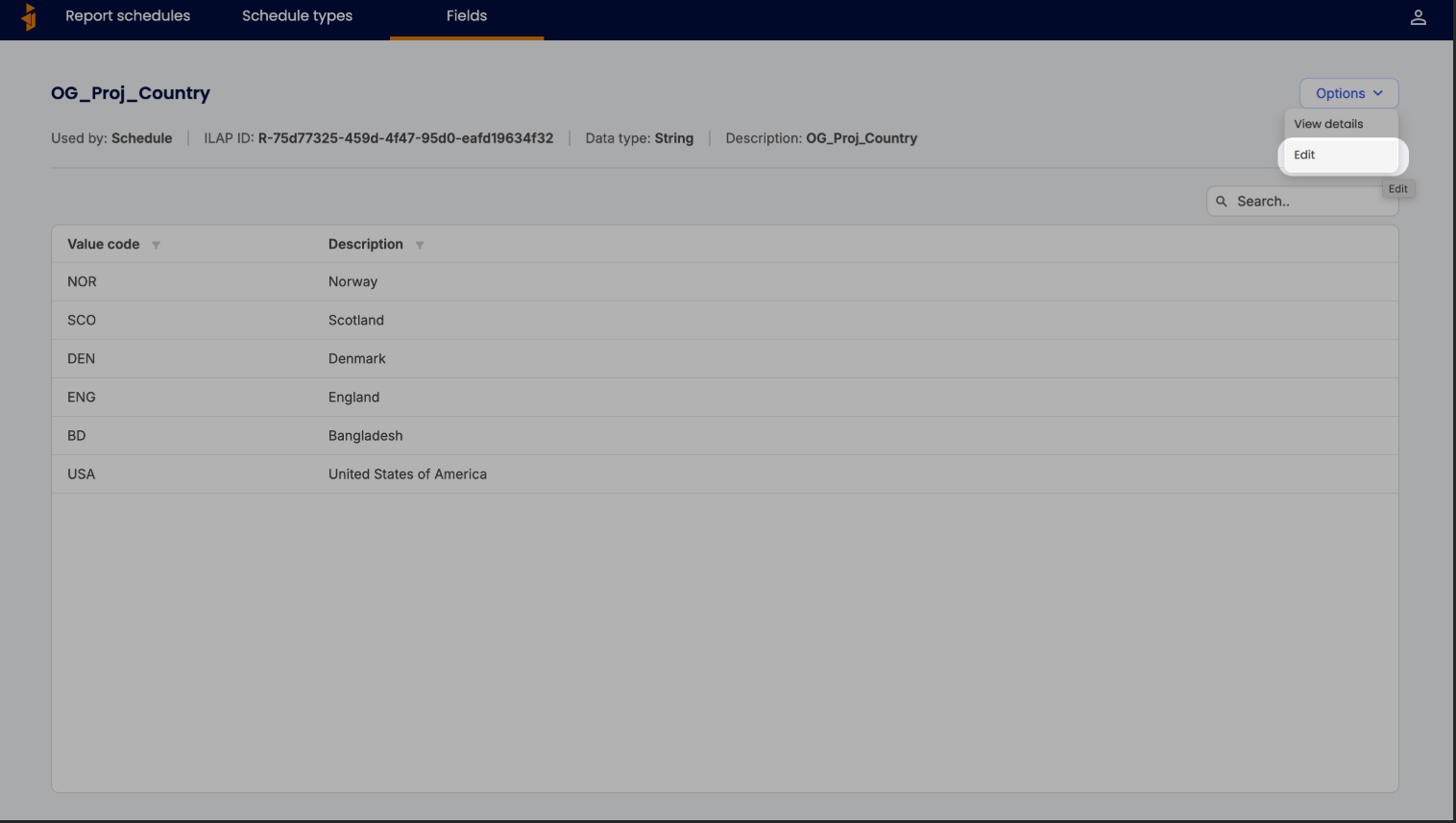
\Delete and confirm
In edit mode, press Delete field in the bottom left corner and confirm in the following modals.
 \
\Note that this action is irreversible.
Was this article helpful?
That’s Great!
Thank you for your feedback
Sorry! We couldn't be helpful
Thank you for your feedback
Feedback sent
We appreciate your effort and will try to fix the article